

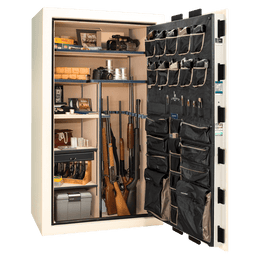
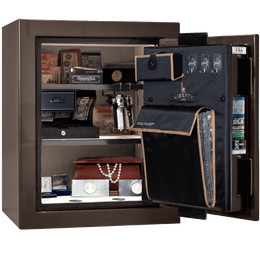
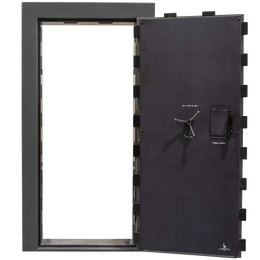
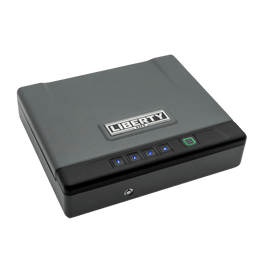

Peace of mind is easier when the essentials are protected—and easy to find.
Most families don’t think about “safe contents” until they need a document fast, can’t locate a spare key, or want a more organized way to protect items that matter. A well-planned home safe setup helps you keep critical paperwork, small valuables, and secure backups together—so you can access what you need without turning the house upside down. Guidance from federal and consumer agencies commonly recommends keeping key records in a secure, fire- and water-resistant location, plus maintaining protected digital copies for backup. (consumerfinance.gov)
If you’re building a “family safe plan,” aim for two outcomes: (1) protect items that are difficult or expensive to replace, and (2) make sure the items you’d need quickly are accessible and organized.
The “Always Store in a Safe” Checklist (by category)
1) Identity & vital records
These are the papers that prove who you are and help you replace other documents quickly:
2) Home, property & insurance documents
When you need to verify ownership or file a claim, time matters. Keep originals (or the most official copies you have) protected:
Maintaining a household inventory (photos, video walk-through, and serial numbers where possible) is commonly recommended to simplify insurance claims. (floodsmart.gov)
3) Financial “recovery” info (what helps you function quickly)
You don’t need to store every statement you’ve ever received. Focus on what you’d need to regain access and keep bills moving:
Federal consumer guidance recommends gathering account numbers and key contacts and keeping them in a safe place; it also highlights digital backups protected by strong passwords. (consumerfinance.gov)
4) Family medical essentials (information, not “everything”)
The goal is fast, accurate information for the household:
Preparedness checklists frequently include medical information and emergency contacts as essential items to store securely. (cnbc.com)
5) Small valuables you’d hate to lose
Think small, high-value, and easy-to-misplace:
A simple table: what goes in your home safe vs. what belongs elsewhere
| Item Type | Best Stored In Your Home Safe | Better Alternative / Backup |
|---|---|---|
| Vital records (IDs, certificates) | Yes (organized in labeled folders) | Encrypted scans in cloud storage (ready.gov) |
| Insurance policies & home inventory | Yes (especially claim-critical details) | Digital photos/video inventory backup (floodsmart.gov) |
| Large sentimental items (albums, bulky keepsakes) | Not ideal (space + moisture risk) | Digitize; store originals in protective bins where appropriate (cnbc.com) |
| Cash | Yes (reasonable amount, discreet) | Also keep a smaller “go” amount in your emergency kit (consumer.ftc.gov) |
| Passwords & logins | Only if you’re using a secure, sealed method | Password manager with MFA; keep recovery codes secured (consumer.ftc.gov) |
Did you know?
Step-by-step: Set up your family safe so it stays organized
Step 1: Choose a “safe-ready” filing system
Use 5–7 labeled folders (Identity, Home/Insurance, Vehicles, Taxes, Medical, Emergency Contacts, “Other”). This prevents the safe from becoming a stack of mystery papers.
Step 2: Create two backups (paper + digital)
Keep originals or best copies in the safe. Then maintain a protected digital copy set using secure cloud storage or an encrypted drive. Ready.gov specifically highlights keeping important documents uploaded to the cloud for emergencies. (ready.gov)
Step 3: Add a “grab-and-go” mini packet
Use a slim envelope inside the safe with the top 10 items you’d want quickly (IDs, emergency contacts, insurance claim phone numbers, a small cash reserve, spare keys). Consumer guidance suggests keeping important papers in a lockable, fireproof container and having it accessible so it’s easy to take if needed. (consumer.ftc.gov)
Step 4: Control humidity (especially for paper and photos)
If you store paper records, aim to keep your safe in a climate-stable area of the home (not a garage) and consider a dehumidifier solution appropriate for your safe setup. Liberty Safe also notes that paper absorbs ambient moisture and that stable temperature/humidity conditions help protect documents. (libertysafe.com)
Step 5: Put one reminder on your calendar
Once per year (or after a move, new vehicle, policy change, or major life change), refresh your contact list, insurance pages, and document scans. The FTC recommends reviewing and updating at least annually. (consumer.ftc.gov)
Local angle: Why this matters across the United States
Households across the United States face a wide mix of weather and property risks—wildfires in the West, hurricanes along the coasts, tornadoes in the Plains, winter storms in many regions, and floods nearly everywhere. Federal guidance consistently emphasizes organizing critical paperwork and protecting it in a secure location, with backup copies available if originals are damaged. (ready.gov)
Want help choosing a safe setup that fits your home and priorities?
Liberty Safe can help you think through sizing, organization, placement, and everyday convenience so your safe supports real life—not just storage.
FAQ: Family safe storage
Should I store originals or copies in my home safe?
Store originals when replacement is difficult (or slow). For items you frequently use, keep protected copies in your safe and keep originals where you can access them when needed—then back everything up digitally with strong security. (consumer.ftc.gov)
Do I still need digital backups if I have a good safe?
Yes—many preparedness checklists recommend storing protected digital copies (cloud or encrypted drive) so you can access critical information even if paper originals are damaged or inaccessible. (ready.gov)
What’s the smartest way to store a home inventory?
Record a room-by-room video and take photos of major items and valuables, capturing serial numbers when available. Save that inventory with your other important documents. (floodsmart.gov)
How often should I update what’s in my safe?
At least once a year, and any time you move, change insurance, buy a vehicle, add a family member, or make major financial changes. Annual review is commonly recommended by consumer agencies. (consumer.ftc.gov)
Is a home safe better than a safe deposit box?
They solve different problems. A home safe is accessible anytime, while a safe deposit box can be a good place for documents you rarely need. Many preparedness resources mention both options and suggest choosing based on access needs and replaceability. (consumer.ftc.gov)