


A seasonal reset that actually reduces stress
Spring cleaning isn’t just about closets and garages. It’s also the perfect time to get your most important items—documents, heirlooms, small valuables, and keepsakes—organized and secured in a way that’s fast to access when you need it and protected when you don’t. This guide walks through a practical, home-friendly system you can complete over a weekend, with habits that are easy to maintain all year.
Step 1: Sort what you own into “replaceable” vs. “painful to replace”
A simple way to stop the “where do I put this?” spiral is to sort items into two buckets:
Replaceable (annoying, but doable)
Old warranties, past utility bills, duplicate manuals, outdated statements—these usually belong in a labeled archive box or secure digital storage.
Painful to replace (time-consuming, expensive, or sentimental)
Identity documents, property records, insurance documents, irreplaceable photos, jewelry, family keepsakes, and other high-value items—these deserve a dedicated secure location.
Pro tip: keep a small “action folder” for items you’ll likely need on short notice (insurance policy numbers, a list of key contacts, copies of IDs). Consumer-focused emergency guidance often stresses being able to locate key documents quickly when time matters. (consumerfinance.gov)
Step 2: Build a “home document kit” that stays organized
Instead of stacking papers in a safe “somewhere,” set up a structure that makes sense months from now. Here’s a clean, low-maintenance approach:
Suggested folder categories
Identity: copies of IDs, passports, birth certificates (as appropriate), SS cards (store carefully)
Home & property: deed, mortgage info, title, appraisal, major receipts
Insurance: home, auto, valuable personal property riders
Tax & financial: current year + archive (keep what your tax professional recommends)
Medical & emergency: emergency contacts, key prescriptions list, important numbers
Sentimental/legacy: letters, photos, heirloom documentation
If you want a standardized starting point, FEMA and CFPB share preparedness checklists that include organizing financial and household records. (consumerfinance.gov)
Quick “Did you know?” facts (that help you choose storage correctly)
A “security safe” rating and a “fire container” aren’t the same thing
Security performance and fire resistance are evaluated differently. A safe designed for theft resistance isn’t automatically a document-protection solution unless it’s built and rated for it.
UL’s RSC category is a recognized baseline for residential security containers
UL describes Residential Security Containers (RSC) as a category often used for valuables (and commonly for gun storage) with performance-based testing; UL has also updated the RSC standard over time to better differentiate security levels. (ul.com)
Digital backups can be just as important as physical storage
Preparedness resources frequently recommend keeping copies of critical documents available (securely) so you can recover faster if originals are inaccessible. (consumerfinance.gov)
Step 3: Choose a storage strategy that matches real life
Most households do best with a layered approach:
Layer A: At-home secure storage (daily access)
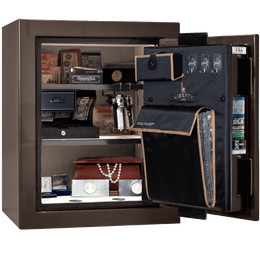
Use a quality home safe for items you may need quickly—passports before a trip, insurance documents during a claim, or valuables you don’t want left in drawers. Keep contents organized with folders and small pouches so you aren’t “digging” every time.
Layer B: Digital backup (fast recovery)
Scan key documents and store them securely (encrypted drive and/or a reputable secure cloud). FEMA and CFPB preparedness guidance emphasizes having copies available to speed up recovery tasks. (consumerfinance.gov)
Layer C: Off-site storage (for truly irreplaceable items)
Some irreplaceables (certain originals, legacy documents) may make sense in a secure off-site location. The point is redundancy: one event shouldn’t take out your only copy.
A practical comparison table: what goes where?
| Item type | Best-fit storage | Why it works | Spring-cleaning action |
|---|---|---|---|
| IDs, passports, title/deed copies | Home safe + secure scans | Quick access at home; backup for recovery tasks | Scan, label, and file into one folder set |
| Insurance policies, serial numbers, appraisals | Home safe + cloud copy | Easy retrieval + shareable documentation | Create a one-page “inventory index” |
| Jewelry, small keepsakes | Home safe | Centralized storage reduces misplacement | Use pouches/trays so items don’t pile up |
| Photos & legacy documents | Safe storage + digitization plan | Preserves originals and creates usable copies | Scan a “top 20” set first; schedule the rest |
Step 4: Make your safe easier to use (so you actually keep using it)
A safe that’s hard to see inside becomes a “drop zone,” which turns into clutter. Two quick upgrades that help:
Add interior lighting
Better visibility means less rummaging, fewer scratches, and faster access to what you need.
Keep a dependable flashlight nearby
Helpful during power outages, garage installs, or dim closets—especially when you want quick, controlled light.
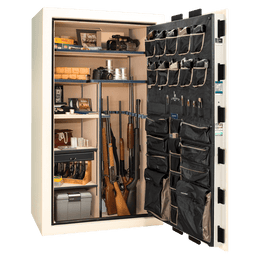
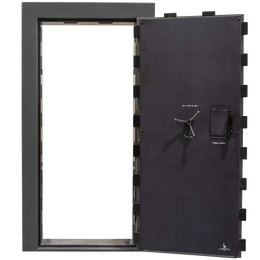
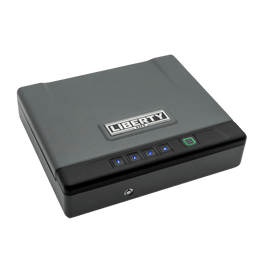
If you’re still choosing a safe size or layout, Liberty’s interactive selector can narrow options quickly (especially on mobile).
United States angle: plan for the events that disrupt routines
In many parts of the United States, spring brings a mix of travel, home projects, and seasonal weather changes. The common thread is disruption—meaning you’re more likely to misplace documents or leave valuables in “temporary” places that become permanent.
A simple 15-minute monthly habit
Pick a recurring reminder (first weekend of the month): open the safe, confirm the “action folder” is current, and add any new documents (insurance renewals, tax records, receipts for major purchases). Preparedness checklists emphasize keeping critical information accessible and up to date. (consumerfinance.gov)
Need help choosing the right safe setup for your home?
Liberty Safe can help you match storage needs, layout, and accessories so your valuables and documents stay organized and protected—without making access a hassle.
FAQ: Spring cleaning, document security, and home safes
What documents should I keep in a home safe?
Prioritize items that are hard to replace or time-consuming to reissue: copies of IDs, property records, insurance details, and an emergency contact list. Keep an “action folder” for items you might need quickly.
Should I keep digital backups if I have a safe?
Yes. Digital copies help with fast recovery tasks (forms, claims, account information). Preparedness guidance commonly recommends having backup copies of important documents available in a secure way. (consumerfinance.gov)
What does “UL RSC” mean?
RSC stands for Residential Security Container, a UL category used for certain residential safes. UL describes RSC performance testing and notes updates to the standard that help differentiate levels of security performance. (ul.com)
How do I keep my safe from becoming a clutter drawer?
Use labeled folders for paper, small pouches for valuables, and add lighting so items are easy to find. A 10–15 minute monthly “reset” keeps it tidy.
Is a safe the only step I should take?
A safe is a strong foundation, but the best results come from layers: physical organization, secure storage, and backups. That combination reduces stress and speeds up recovery when something interrupts normal routines.
Glossary
RSC (Residential Security Container)
A UL category for certain residential security containers (often what consumers call “gun safes”), with defined performance testing criteria for resisting attack for a set time under test conditions. (ul.com)
Action folder
A small, frequently updated folder (physical and/or digital) containing the documents and contact information you’re most likely to need quickly.
Digital backup (secure copy)
A scanned or photographed copy of a document stored with security controls (encryption/passwords and appropriate access). Often recommended in emergency-preparedness checklists. (consumerfinance.gov)